
Accounts, without the guesswork.
Manually organize cash, bank balances and credit card debt. No bank connection required.
A little order. A clearer picture.
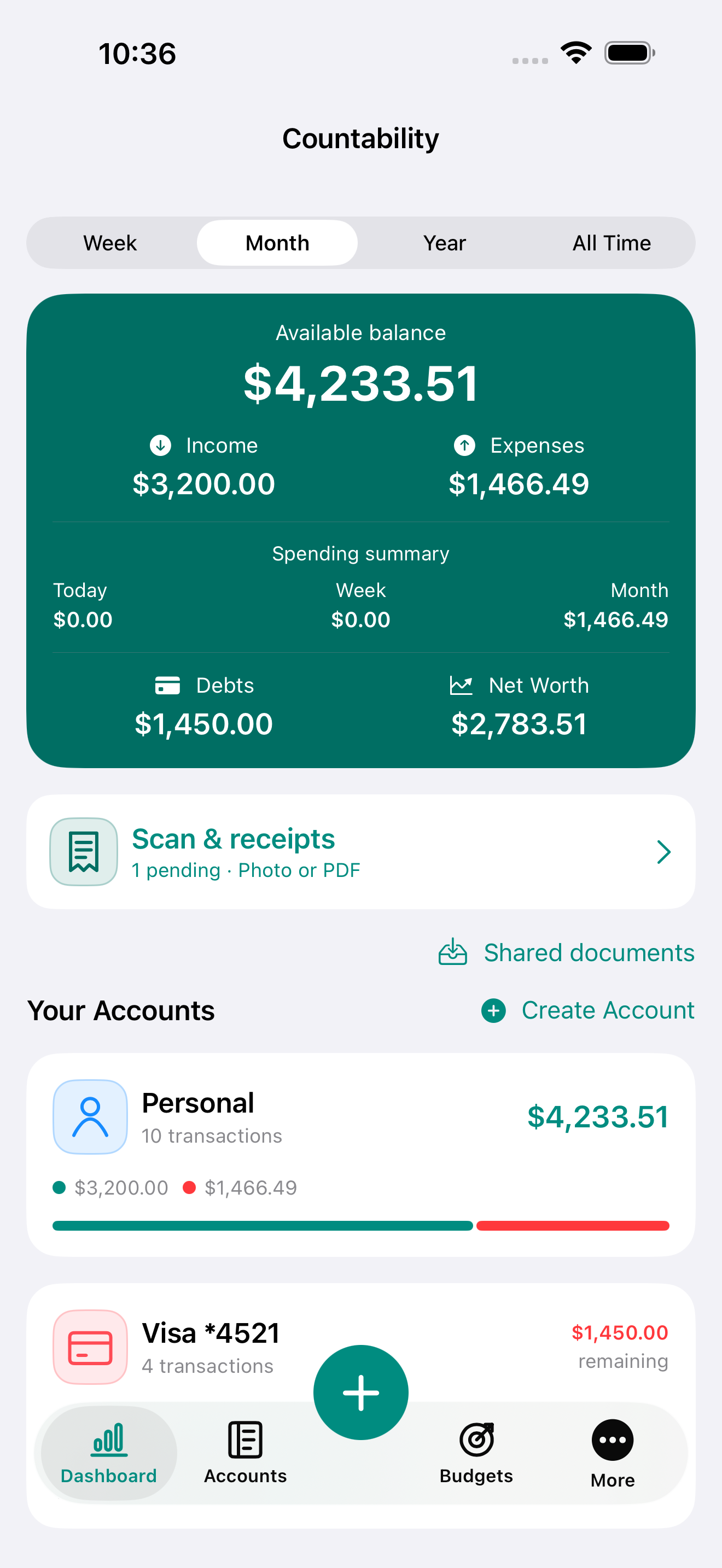
Countability Finance is an expense, budget and receipt organizer for iPhone and iPad. Track accounts and credit cards, review receipt photos and PDFs, and keep the documents behind your spending.
Free core tools · Optional lifetime Premium · No subscription


 No Countability account needed
 Your records stay on your device
 For iPhone and iPad
The everyday essentials
Manually organize cash, bank balances and credit card debt. No bank connection required.
Import photos and PDFs, review on-device text recognition, and preserve the original document.
Set monthly category budgets and see what remains as you record expenses.

Record paired repayments without counting them again as expenses. Track both sides together.

Review income, expenses and net results. Different currencies stay separate.
Create and restore complete workspace backups for free. Keep exported financial files somewhere safe.

One purchase. No subscription.
A single lifetime purchase unlocks the monthly accountant ZIP and removes Dashboard advertising permanently. Existing Premium purchasers receive both benefits automatically. There is no subscription.
The ZIP includes CSV summaries, linked original receipts, correction histories and items pending review. It is an organizational export, not tax filing or certified accounting advice.
Before you get started
No. You enter financial transactions manually or review imported receipts before recording them. There are no bank connections.
Your workspace is stored on your device. No Countability account is required, and Countability does not provide cloud synchronization. Save a separate backup to protect important records. See the privacy policy for advertising and other data details.
Yes. Import receipt photos and multipage PDFs or share documents from other apps. Text recognition runs on your device and can make mistakes: review the date, amount and currency before recording.
No. Record a card payment using the paired payment operation. It reduces your paying account balance and card debt together; transfers and card payments are excluded from spending totals.
You can create a complete workspace backup and restore it in Countability. Restoration replaces the receiving workspace, not merges it. Backups contain private financial data and are not password-encrypted, so keep them in a safe location.
The core account, transaction, receipt-review, category, budget, report and complete-backup features are free. Lifetime Premium removes ads and adds the monthly accountant ZIP.
Your everyday finances, thoughtfully organized.